by Fernando Tellado
4.8 (26 reviews)
Show only lowest prices in variable products for WooCommerce
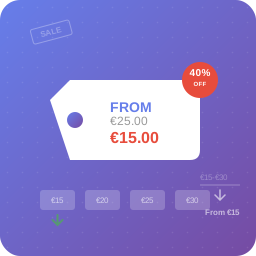
Clean up your variable product prices by showing only the lowest price instead of confusing price ranges. Now with customizable settings!
Compatible with WP 6.9
v2.0.3
Current Version v2.0.3
Updated 1 month ago
Last Update on 03 Nov, 2025
Synced 17 hours ago
Last Synced on
Rank
#2,709
—
No change
Active Installs
7K+
—
No change
KW Avg Position
99.5
—
No change
Downloads
177.6K
—
Total downloads
Support Resolved
0%
—
No change
Rating
96%
Review 4.8 out of 5
4.8
(26 reviews)
Next Milestone 8K
7K+
8K+
38
Ranks to Climb
-
Growth Needed
7,828
Current Installs
Need 172 more installs to reach 8K+
Rank Changes
Current
#2,709
Change
Best
#
Active Installs Growth
Current
7,828+
Growth
Peak
7,828
Downloads Growth
Downloads
Growth
Peak
Reviews & Ratings
4.8
26 reviews
Overall
96%
5
24
(92%)
4
1
(4%)
3
0
(0%)
2
0
(0%)
1
1
(4%)
Tracked Keywords
Showing 2 of 2| Keyword | Position | Change | Type | Updated |
|---|---|---|---|---|
| lowest price | 13 | — | Tag | 22 hours ago |
| Variable Products | 186 | — | Tag | 22 hours ago |
Unlock Keyword Analytics
Track keyword rankings, search positions, and discover new ranking opportunities with a Pro subscription.
- Full keyword position tracking
- Historical ranking data
- Competitor keyword analysis
Track This Plugin
Get detailed analytics, keyword tracking, and position alerts delivered to your inbox.
Start Tracking FreePlugin Details
- Version
- 2.0.3
- Last Updated
- Nov 03, 2025
- Requires WP
- 5.0+
- Tested Up To
- 6.9
- PHP Version
- 7.4 or higher
- Author
- Fernando Tellado
Support & Rating
- Rating
- ★ ★ ★ ★ ★ 4.8
- Reviews
- 26
- Support Threads
- 0
- Resolved
- 0%
Keywords
Upgrade to Pro
Unlock keyword rankings, search positions, and detailed analytics with a Pro subscription.
Upgrade NowSimilar Plugins





Frequently Asked Questions
Common questions about Show only lowest prices in variable products for WooCommerce
Yes! The plugin uses WooCommerce's standard price hooks, so it works with any properly coded WooCommerce theme.
Absolutely! Go to WooCommerce > Lowest Prices in your admin dashboard to customize the prefix text, spacing, and display options.
By default, the plugin won't show the "From" prefix when all variations have the same price. You can change this behavior in the settings.
The plugin works on both shop pages and individual product pages - anywhere WooCommerce displays variable product prices.
Yes! The plugin includes a .pot file for translations and follows WordPress internationalization standards.
Yes! The lugin includes full compatibility with WooCommerce High-Performance Order Storage.