by tljorgensen
0 (0 reviews)
Simple Post Inserter
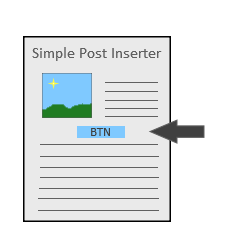
Simple post inserter does what it sounds like. Insert some content into a post at your desired location.
Tested up to WP 5.2.23 (Current: 6.8.2)
v1.0
Current Version v1.0
Updated 6 years ago
Last Update on 26 Oct, 2019
Synced 2 days ago
Last Synced on
Rank
#31,850
—
No change
Active Installs
10+
—
No change
KW Avg Position
N/A
—
No change
Downloads
1.3K
—
Total downloads
Support Resolved
0%
—
No change
Rating
0%
Review 0 out of 5
0
(0 reviews)
Next Milestone 20
10+
20+
6,212
Ranks to Climb
-
Growth Needed
16
Current Installs
Need 4 more installs to reach 20+
Rank Changes
Current
#31,850
Change
Best
#
Active Installs Growth
Downloads Growth
Downloads
Growth
Peak
Upgrade to Pro
Unlock 30-day, 90-day, and yearly download history charts with a Pro subscription.
Upgrade NowReviews & Ratings
0.0
0 reviews
Overall
0%
5
0
(0%)
4
0
(0%)
3
0
(0%)
2
0
(0%)
1
0
(0%)
Tracked Keywords
Showing 0 of 0| Keyword | Position | Change | Type | Updated |
|---|---|---|---|---|
| No keyword data available yet. | ||||
Unlock Keyword Analytics
Track keyword rankings, search positions, and discover new ranking opportunities with a Pro subscription.
- Full keyword position tracking
- Historical ranking data
- Competitor keyword analysis
Track This Plugin
Get detailed analytics, keyword tracking, and position alerts delivered to your inbox.
Start Tracking FreePlugin Details
- Version
- 1.0
- Last Updated
- Oct 26, 2019
- Requires WP
- 5.2+
- Tested Up To
- 5.2.23
- PHP Version
- 5.6 or higher
- Author
- tljorgensen
Support & Rating
- Rating
- ☆ ☆ ☆ ☆ ☆ 0
- Reviews
- 0
- Support Threads
- 0
- Resolved
- 0%
Keywords
Upgrade to Pro
Unlock keyword rankings, search positions, and detailed analytics with a Pro subscription.
Upgrade Now




Frequently Asked Questions
Common questions about Simple Post Inserter
A. Simple Post Inserter by nature is designed to be flexible. This means that the admin will have complete control over what is displayed. This could be just some text or some html containing an embedded video. It is up to the discretion of the admin.
A. Yes, styling can be done through inserting an inline style script with the HTML or by using already defined elements within your theme. If you are the sits developer you can declare the class, label of the element inside the settings page and retroactively add the style into your style.css file.
A. The display filters for Simple Post Inserter follow a general hierarchy. If a post ID is entered into the settings it will ignore your filters for post type and categories and only apply to that post ID. Then the category will be checked, then the post type. In addition there should be error messages thrown if you enter an invalid slug into one of the filters. This will not stop the plugin from working, but the filter will be ignored. If your content is still not displaying and you are unsure why. Submit a ticket to the developer through [contact](https://codexi.io/contact)
A. At this time, no that is not possible with this plugin. It may or may not be implemented in the future.
A. Use the insert paragraph setting. Set the value to 0 to put it on top of all of the post paragraphs. Set the value to a high number, that exceeds the total amount of paragraphs in any of your posts to put it at the bottom. i.e. "999" should be a large enough number to put it on the bottom of most if not all posts (assuming you do not have very long content).
A. The middle option counts all the paragraph tags in the post. Sometimes there are paragraph tags that are empty for whatever reason. Go to the page and inspect it to see all the paragraph tags and what they are holding, you may find paragraphs that are holding nothing. The middle option also does not account for the length of each paragraph, or other pieces of content such as images, headings, etc.
to balance based of other parameters, such as character count. Lastly, for posts with odd numbered amounts of paragraphs the content will have a tendency toward the bottom based on the rounding used. For example a post with 7 paragraphs will have 4 on the top of your content and 3 on the bottom.