by Web Builder 143
5 (6 reviews)
Sticky Notes for WP Dashboard
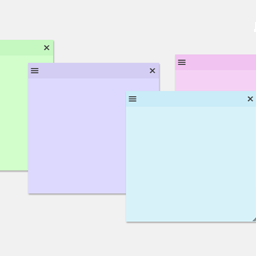
Create sticky notes in your WP admin for reminders and to-dos. Restrict notes by user roles and disable them on specific pages.
Compatible with WP 6.9
v1.2.4
Current Version v1.2.4
Updated 2 weeks ago
Last Update on 01 Dec, 2025
Synced 7 hours ago
Last Synced on
Rank
#7,712
—
No change
Active Installs
800+
—
No change
KW Avg Position
105.4
—
No change
Downloads
14.4K
—
Total downloads
Support Resolved
0%
—
No change
Rating
100%
Review 5 out of 5
5
(6 reviews)
Next Milestone 900
800+
900+
74
Ranks to Climb
-
Growth Needed
882
Current Installs
Need 18 more installs to reach 900+
Rank Changes
Current
#7,712
Change
Best
#
Active Installs Growth
Current
882+
Growth
Peak
882
Downloads Growth
Downloads
Growth
Peak
Reviews & Ratings
Estimated5.0
6 reviews
Overall
100%
5
3
(50%)
4
2
(33%)
3
1
(17%)
2
0
(0%)
1
0
(0%)
Tracked Keywords
Showing 5 of 5| Keyword | Position | Change | Type | Updated |
|---|---|---|---|---|
| sticky notes | 14 | — | Tag | 7 hours ago |
| reminders | 84 | — | Tag | 7 hours ago |
| dashboard notes | 96 | — | Tag | 7 hours ago |
| admin notes | 134 | — | Tag | 7 hours ago |
| notes | 199 | — | Tag | 7 hours ago |
Track This Plugin
Get detailed analytics, keyword tracking, and position alerts delivered to your inbox.
Start Tracking FreePlugin Details
- Version
- 1.2.4
- Last Updated
- Dec 01, 2025
- Requires WP
- 3.5.0+
- Tested Up To
- 6.9
- PHP Version
- N/A
- Author
- Web Builder 143
Support & Rating
- Rating
- ★ ★ ★ ★ ★ 5
- Reviews
- 6
- Support Threads
- 0
- Resolved
- 0%
Keywords
Similar Plugins





Frequently Asked Questions
Common questions about Sticky Notes for WP Dashboard
Go to any page in the WordPress admin dashboard. From the top admin bar, click Sticky Notes → Create New Note. Note: If you enabled the setting to allow notes only on specific admin screens, this option will be available only on those screens.
Yes. You can globally hide or show all notes using the toggle under the Sticky Notes menu in the admin toolbar.
Yes. You can drag notes by their header to reposition them and resize them as needed.
Yes. Each note has its own customization menu on the top-left corner to change themes and fonts.
Yes. From the plugin settings, select the admin screens where you want to hide notes. If a screen is not listed, use the wb_stn_hide_on_these_pages filter to hide it programmatically.